


Word Kitchen
4.61.34K Reviews
App Specs
- Version
- 1.10.0
- Updated On
- License
- Free
- Downloads
- 1,000,000+
- Developer
- Gimica GmbH
- Categories
- Word
- Platform
- Android
Screenshots
 Analysis by AppCompare
When a word puzzle stalls, I usually want to know whether I have missed a word, misunderstood the board, or simply need a break. That practical question matters in Word Kitchen, because its letter-swiping idea is easy to pick up, while a tricky arrangement can still interrupt a quick session. I’d treat it as a casual word game rather than a serious vocabulary course: it is most enjoyable when I have a few spare minutes and feel like testing anagrams without turning the moment into homework.
Where a puzzle can trip you up
The basic task is clear: look at the available letters and swipe them into words that fit the puzzle. The catch is that knowing a word does not always mean spotting it immediately. I find it useful to pause and scan the letters from a different starting point instead of repeating the same swipe pattern. If I’m stuck, I try short, familiar combinations first, then look for less obvious arrangements; that gives me a method without making the game feel like a chore.
A wrong guess can also be a clue about my approach. I may be reaching for a word that does not fit the open spaces, or overlooking a common word because I’m focused on a longer one. Rather than swiping rapidly at every possible combination, I slow down and compare the available letters with the words still missing. That small change helps keep a difficult board from feeling random.
Simple checks before a session
The game is free to download, and Gimica GmbH is the developer. Its current version is 1.6.1, with Android support starting at version 7.0; it is also available on iOS. The age rating is Everyone. The game has a 4.6 average from around 36,000 ratings, and has been installed over a million times. Those figures suggest it has found an audience, though they cannot tell me whether its style will suit every word-game fan.
If you’re deciding whether to install it, I’d first check that your device’s operating system meets the relevant requirements and that you have enough room for another game. If the app does not open or behaves unexpectedly, I would start with ordinary checks: close and reopen it, make sure the device has a stable connection if the feature I’m trying to use needs one, and see whether the app or operating system has an available update. I wouldn’t assume that every issue comes from the puzzle itself.
Getting back into the flow
For a smoother session, I like to treat each level as a small task instead of trying to clear a long run in one sitting. If I’ve been staring at the same letters for too long, stepping away is often better than forcing guesses. When I return, I can notice combinations I had stopped seeing. This is especially handy during a short break: one puzzle can be a satisfying pause, while a run of harder boards may be better saved for a quieter stretch of time.
There are in-app purchases, priced from $0.99 to $25.99 per item, so I’d keep that in mind if I’m installing a free game for a child or trying to stick to a budget. I would check the purchase controls on the device before handing it over. The game is free to start, but that does not mean every optional purchase is free.
Worth Reading Before You Choose

Flipboard Shows What News Apps Must Do Beyond the Feed

Switching to Android Auto Means Rethinking Your Driving Routine

Google Calendar Makes a Crowded Week Easier to Manage

Ludo King Makes the Most of the Minutes Between Plans

Baby Panda World Brings Quick Play to Modern Phones, but Its Game Library Feels Busy

ESPN’s Live Game View Makes Following Close Games Easier
When the app may not be the problem
If a screen takes a while to respond or a social element does not behave as expected, I’d separate that from the word puzzle itself. I would check whether the device is busy, restart the app, and try again later before concluding that a level is broken. For anything involving friends or other connected features, a weak or unavailable connection can also be a sensible thing to rule out. These are general troubleshooting steps, not a reason to keep repeating an action that is already frustrating.
Word Kitchen is not the right pick if I want a quiet, purely offline puzzle experience, a detailed dictionary lesson, or a game whose appeal comes from elaborate strategy. I also would not choose it for someone who dislikes swiping through letters or gets annoyed when a puzzle asks for trial and error. A paper crossword gives me more clue-based solving, while a plain anagram game may suit someone who wants less of a cooking theme. Here, the kitchen framing and grid-solving are part of the appeal.
A Tasty Blend of Words and Fun
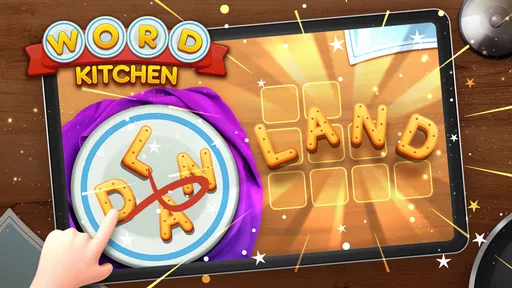
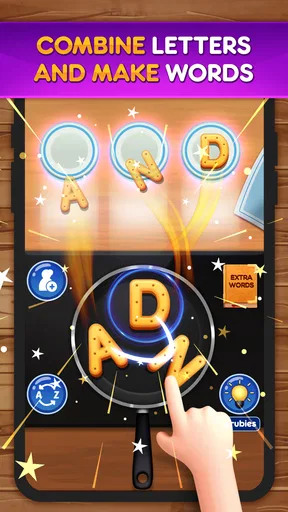
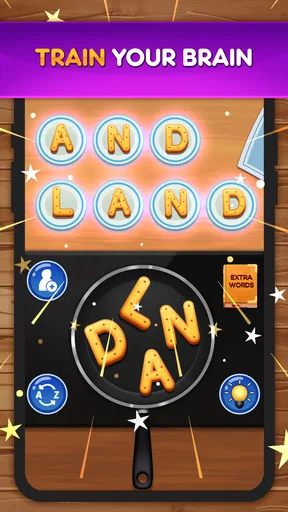
So, what’s the gist of Word Kitchen? Well, the concept is pretty straightforward yet utterly addictive. You’re presented with a set of letters, and your task is to swipe them into logical words that fit into the puzzle grid. It’s like being a chef, but instead of chopping veggies, you’re slicing through anagrams. The game starts off easy, letting you get the hang of it, but don’t be fooled—it ramps up the difficulty faster than you can say “bon appétit!”
Gameplay and Features
One of the things I love about this app is its smooth and intuitive interface. Swiping through letters feels natural, and the satisfaction of finding a word is akin to nailing the perfect soufflé. Plus, there’s a delightful sizzle sound when you create a word, which adds a nice touch.
The game includes hundreds of levels, so it’s sure to keep you busy. As you progress, you’ll unlock new recipes, which adds a fun, thematic twist to the game. Each level you conquer feels like completing a dish, which is a neat way of keeping you engaged.
Graphics and Sound
Visually, the app is a treat. The graphics are colorful and vibrant, reminiscent of a quaint little kitchen. The background music is cheerful without being distracting, and those little sizzle sounds I mentioned earlier really tie the whole cooking theme together. It’s a feast for the senses!
Community and Challenges
Another cool aspect is the community feature. You can connect with friends and family, which makes the game more interactive. There are daily challenges and leaderboards that add a competitive edge, so if you’re like me and love a good challenge, you’ll find plenty to sink your teeth into.
Accessibility and User Experience
One thing I appreciated is how accessible Word Kitchen is. It’s available on both Android and iOS, and the app runs smoothly on most devices. Whether you’re on a quick break or lounging on the couch, it’s a perfect companion.
The app also does a great job of gradually increasing difficulty. This means you won’t feel overwhelmed or bored. Instead, you’ll find yourself in that sweet spot of being challenged just enough to keep you coming back for more.
My Final Take
In conclusion, Word Kitchen is a delightful mix of wordplay and culinary charm. Whether you’re a word game enthusiast or just looking for a fun way to pass the time, this app is definitely worth a download. It’s engaging, visually pleasing, and just challenging enough to keep you hooked. So, why not put on your chef’s hat and get cooking with words? You might just find it’s the recipe for the perfect gaming session.
Who will get the most from it?
I’d recommend it to people who already enjoy rearranging letters, but prefer a friendly visual theme to a bare list of anagrams. The kitchen presentation gives each board a little personality, while the familiar swipe-and-fit loop keeps the rules uncomplicated. It can also work well as a shared, low-pressure pastime: a family member can suggest a word while someone else handles the swiping, without either person needing to learn a complicated control scheme.
For example, if I have a few minutes before a meeting or while waiting for a ride, I can open a level, work through the letter set, and stop when I need to. That makes it a better fit for fragmented downtime than a game that demands a long uninterrupted session. The daily challenges and leaderboards can add a reason to return, but I’d see them as optional motivation rather than the main reason to play.
How it sits among word games
Compared with a traditional crossword, this is more about spotting combinations in a supplied set of letters than interpreting clues or drawing on broad trivia knowledge. That makes the entry barrier lower, but it also means players who love clue-solving may find the core loop less varied. Against a stripped-back anagram app, the cooking theme, colorful presentation, and level progression give this game a more decorated sense of place. The trade-off is that someone who wants only a minimalist brain teaser may prefer a simpler alternative.
I also wouldn’t mistake the gradual learning curve for a guarantee that every level will feel equally fresh. The central activity remains word formation, so the enjoyment depends on whether finding and fitting words is satisfying to you. If you want a language-learning tool with definitions, explanations, and structured lessons, I’d choose something built for that purpose instead. This is a casual puzzle first.
Small habits that make play easier
One useful habit is to avoid treating every unfilled space as a prompt to guess wildly. I scan for letter pairs and familiar endings, then check whether a likely word matches the available slots. If I keep circling the same ideas, I stop for a moment rather than turning the board into repetitive tapping. That reset is particularly helpful when playing in a noisy place, where it is easy to lose track of which combinations I have already considered.
Sound is part of the game’s charm, but it may not suit every setting. The cheerful music and word-completion sizzle help create the kitchen mood; in a quiet waiting room, I’d lower the device volume or mute it. That preserves the visual puzzle without making the game less usable in a shared space. It is a simple adjustment, but one worth thinking about before starting a session around other people.
What to expect from the free download
The game is free, with optional in-app purchases in the range of $0.99 to $25.99 per item. I’d approach those as a separate spending decision, not as a requirement for enjoying the basic word-puzzle idea. If a child is playing, checking the device’s purchase settings beforehand is a sensible precaution. The Everyone age rating makes the game broadly approachable, but a rating does not replace a parent’s judgment about purchases or screen time.
Its 1.6.1 version and Android 7.0 minimum are useful compatibility details if you are deciding whether an older device can run it. On either platform, I’d keep the app and operating system reasonably current and restart the game if a session becomes unresponsive. If a particular connected activity fails while ordinary levels still work, I’d check the connection before assuming the entire game is at fault. Those checks are practical first steps, not promises that every problem will have the same cause.
A practical verdict
What I like most is the straightforward rhythm: inspect the letters, try a word, and see how it fits the grid. The colorful kitchen setting and sound effects make that loop more inviting than a plain jumble of letters, while the challenges and friend-oriented elements offer extra ways to stay engaged. The friction is equally clear: players who want clue-rich crosswords, deep strategy, or a more educational treatment of vocabulary may outgrow the format quickly.
With a 4.6 average from around 36,000 ratings and over a million installs, it has clearly attracted plenty of players, but those figures are only context, not a promise that it will be your kind of puzzle. I’d try it if I wanted a light word game for short breaks and enjoyed a cooking theme. I’d skip it if I needed a demanding offline puzzle or disliked swipe-based anagrams. For the right player, it is an easygoing way to turn a spare moment into a small word-solving session.
Pros
- Engaging puzzles to enhance vocabulary.
- Simple
- intuitive interface for all ages.
- Regular updates with new levels.
- Offline mode available for on-the-go play.
- No intrusive ads interrupting gameplay.
Cons
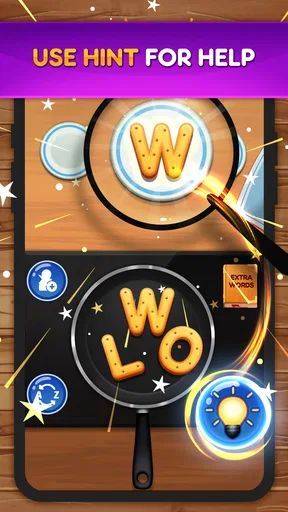
- Limited hints can stall progress.
- Repetitive levels after prolonged play.
- In-app purchases for extra hints.
- No option for multiplayer competition.
- Occasional lag on older devices.
FAQs for Word Kitchen
What is Word Kitchen and how does it work?
Word Kitchen is a fun and engaging word puzzle game available on both Android and iOS platforms. The game challenges players to form words using a set of given letters. With each level, players must find all possible word combinations to advance. It's a great way to enhance vocabulary and improve cognitive skills.
Is Word Kitchen free to play?
Yes, Word Kitchen is free to download and play. However, it does offer in-app purchases that allow players to buy hints or remove ads. These purchases are optional, and players can enjoy the full game experience without spending any money if they choose to rely on their word-solving skills.
What are the main features of Word Kitchen?
Word Kitchen offers a variety of features that enhance gameplay, including hundreds of challenging levels, daily puzzles, and the ability to play offline. It also provides hints for players who get stuck, beautifully designed themes, and a user-friendly interface that makes it accessible to players of all ages.
Can I play Word Kitchen offline?
Yes, one of the great features of Word Kitchen is its offline mode. This allows players to enjoy the game without needing an internet connection, making it perfect for travel or when you're in areas with limited connectivity. Just ensure you have downloaded the latest levels before going offline.
Are there any age restrictions for playing Word Kitchen?
Word Kitchen is suitable for all ages, making it a family-friendly game. Its simple mechanics and educational value make it particularly appealing to children and adults alike. The game encourages learning and can be a fun way for kids to expand their vocabulary while playing.


